Difference between revisions of "Sandbox"
Jump to navigation
Jump to search
(Created page with "The purpose of the [https://www.animecharactersdatabase.com/sandbox.php sandbox] is to allow a member to create a new title and begin adding characters to it. When they are fi...") |
(→Member Guide) |
||
| Line 2: | Line 2: | ||
==Member Guide== | ==Member Guide== | ||
| + | [http://www.animecharactersdatabase.com/sandbox.php Introducing the sandbox.] The default view : | ||
| + | http://ami.animecharactersdatabase.com/uploads/forum/1-1678545685.png | ||
| + | |||
===Adding a Title=== | ===Adding a Title=== | ||
| + | Clicking the [http://www.animecharactersdatabase.com/sandbox.php?new#frame1top New Title] Action will bring up the following form : | ||
| + | http://ami.animecharactersdatabase.com/uploads/forum/1-905211345.png | ||
| + | |||
| + | *Please use YYYY/MM/DD for the date | ||
| + | *Please use the names as found on wikipedia | ||
| + | *Please link to the official home page, or a credible links that lists all characters | ||
| + | |||
| + | ===Editing a Title=== | ||
| + | Once a title has been added, you can select it from your list to begin editing it. New actions buttons will become available in edit mode : | ||
| + | http://ami.animecharactersdatabase.com/uploads/forum/1-1324558249.png | ||
| + | |||
===Adding a Character=== | ===Adding a Character=== | ||
| + | Click the Actions action to be taken to the upload form. Name and upload an image. | ||
| + | |||
| + | *Images must be at least 200x200 | ||
| + | *Images larger than 1000x1000 will be resized to 1000x1000 | ||
| + | *Nudity will be deleted | ||
| + | *Black and White images will be deleted | ||
| + | |||
| + | Next, click the Edit link for the character found here : | ||
| + | http://ami.animecharactersdatabase.com/uploads/forum/1-1146351108.png | ||
| + | |||
| + | This will bring up a form for entering many details. | ||
| + | |||
| + | |||
===Removing a Character=== | ===Removing a Character=== | ||
===Requesting Moderator Review=== | ===Requesting Moderator Review=== | ||
Revision as of 13:03, 12 February 2019
The purpose of the sandbox is to allow a member to create a new title and begin adding characters to it. When they are finished a moderator can verify their work and merge it in with the database.
Contents
Member Guide
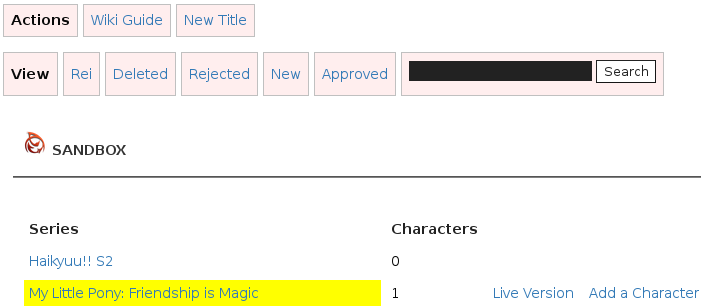
Introducing the sandbox. The default view :
Adding a Title
Clicking the New Title Action will bring up the following form :
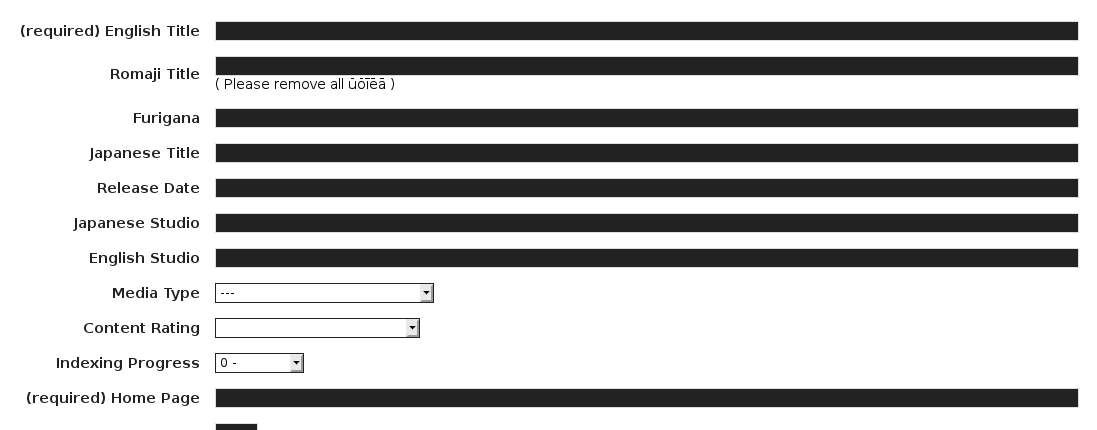
- Please use YYYY/MM/DD for the date
- Please use the names as found on wikipedia
- Please link to the official home page, or a credible links that lists all characters
Editing a Title
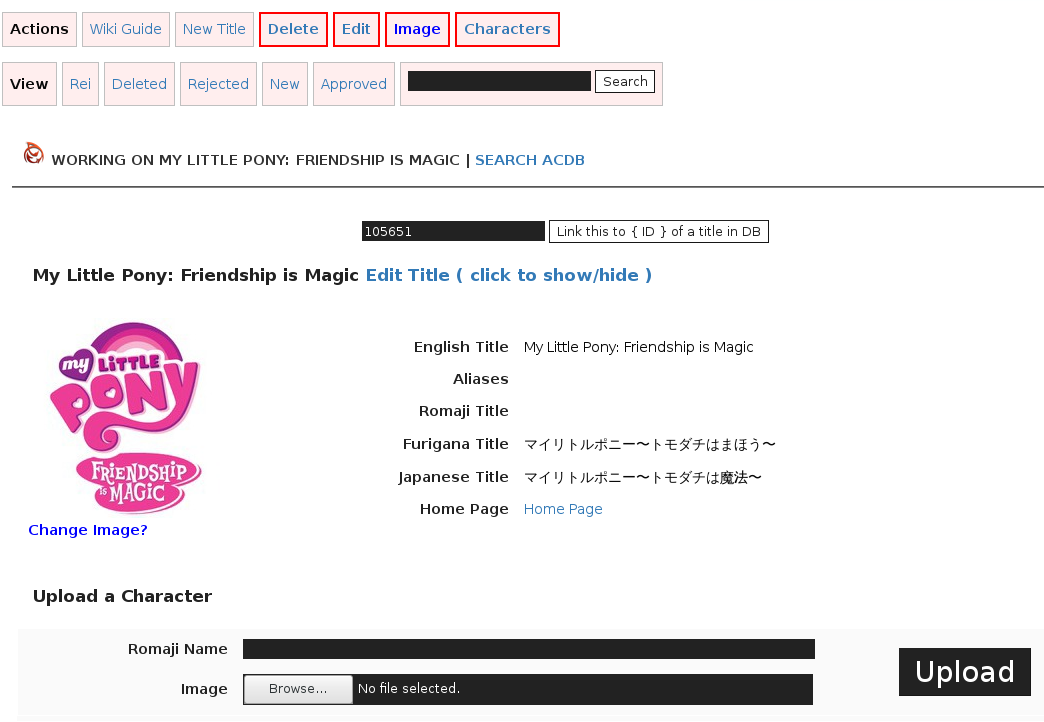
Once a title has been added, you can select it from your list to begin editing it. New actions buttons will become available in edit mode :
Adding a Character
Click the Actions action to be taken to the upload form. Name and upload an image.
- Images must be at least 200x200
- Images larger than 1000x1000 will be resized to 1000x1000
- Nudity will be deleted
- Black and White images will be deleted
Next, click the Edit link for the character found here :
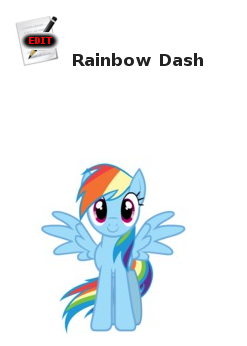
This will bring up a form for entering many details.
